Protocol Developer
Deutschmann Script language
The heart of the Deutschmann UNIGATE® / Gateway series
- Flexible solutions are needed. With the usual configuration tools for protocol converters and gateways, the user has to work with the specifications of the manufacturer. To change this unfortunate condition Deutschmann developed its own script language as early as in 1999.
- The user only needs to process the data of the bus and barely has to look after the special characteristics of the fieldbus.
- The Protocol Developer supports a variety of functions to fit the received or to send data into the right “form”. Mathematics- or memory processing commands are known from other Script languages and are easy to understand implemented, even for laymen.
- The neatly arranged selection of examples enables a quick introduction to laymen.
- Another highlight is the included debug functionality. The common functionalities such as Single-step, running and stopping on breakpoint are available.
- Great emphasis is put on data security. You can activate special error detection routines on request.
Version V.3.0.0
Version V.3.0.0 offers modern icons for the toolbar, a simplification of the configuration, an extended syntax highlighting and an auto-completion of commands. In addition, the handling of the variables has been optimized and the user experience in the debugger has been improved.
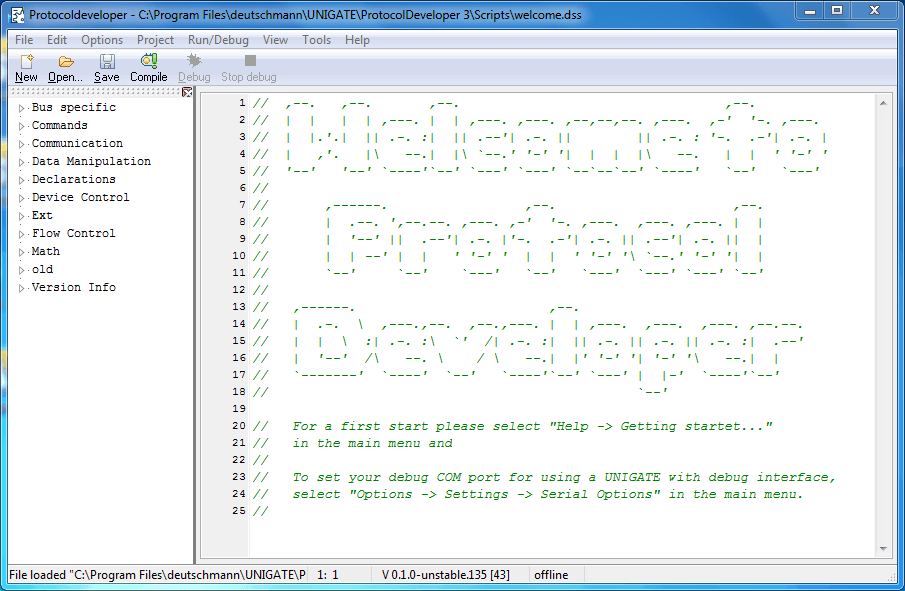
Protocol Developer - Surface
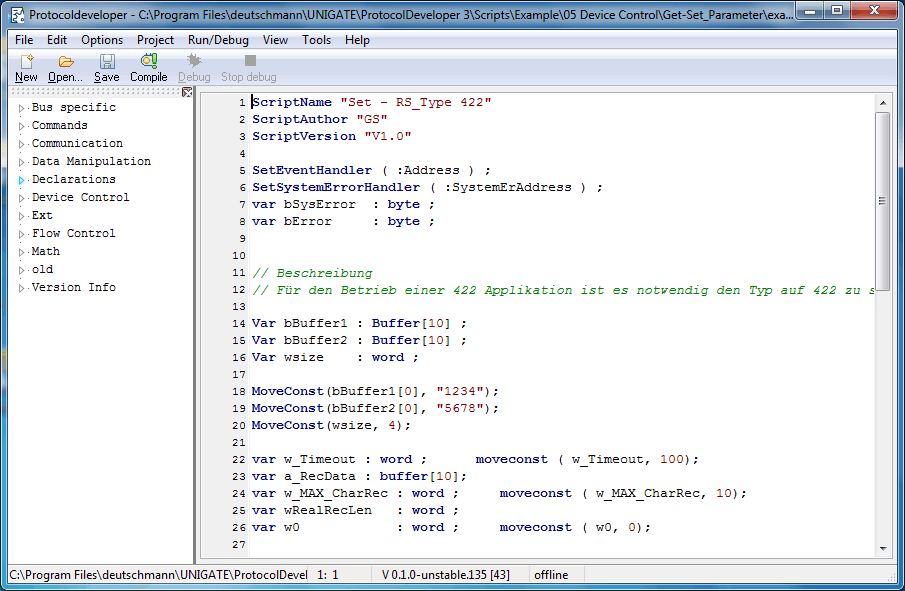
Set Parameter - Example
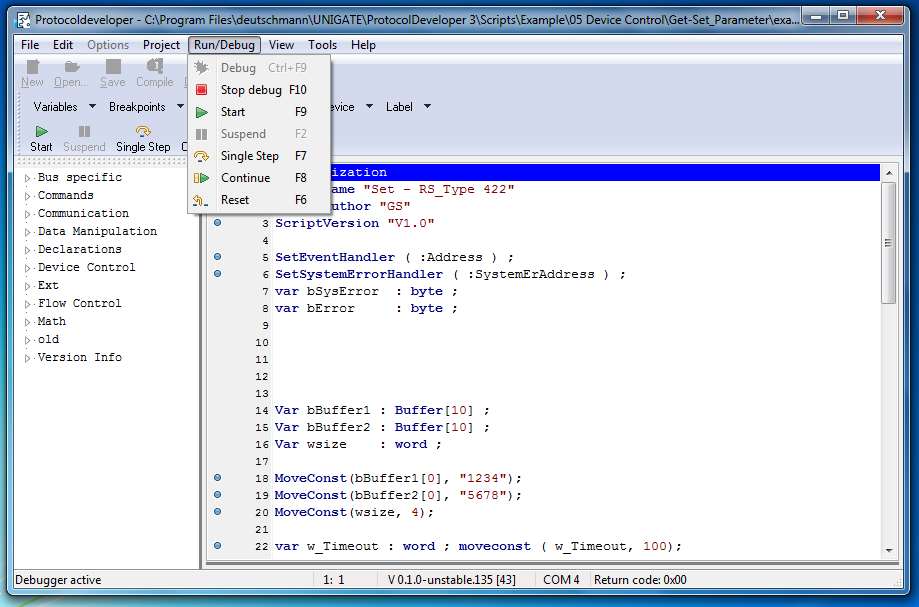
Debug Menu
Example scripts
For all Script commands we offer here at examples to download.